


Microsoft 365 Copilot
Microsoft 365 Copilot is an advanced AI assistant integrated into Microsoft 365 apps such as Word, Excel, PowerPoint, Outlook, and Teams. It can generate and summarize content, analyze data, and streamline collaboration by understanding natural language and securely leveraging your organization's data.

Economic impact of Microsoft 365 Copilot
116%
Return on investment (ROI) over 3 years.
>10 Months
Average time to break-even on investment.
9 h
Average time saved per user per month.
AI that provides control—without slowing down performance
Many organizations struggle with the balancing act between employees demanding AI tools to work smarter and IT and management seeing risks in the uncontrolled use of external services.
Microsoft 365 Copilot solves this by delivering advanced AI capabilities within the framework of your existing security architecture. Permissions, data protection, and compliance requirements follow automatically—without slowing down innovation or creating new vulnerabilities.
The result is an AI strategy where the business gains momentum and IT retains control.
Zero-trust principle in everything
Microsoft 365 Copilot operates within the same security settings as the user and follows your existing access levels in Microsoft 365 (SharePoint, Teams, Exchange). The AI has no extra privileges and can never display information that the user does not already have permission to see. If you use Purview sensitivity labels, RMS, or DLP, Copilot follows the same rules, and output can automatically inherit labels from the source material. For IT, this means less risk of accidental leaks and fewer needs for special solutions to control the AI.
Guaranteed data isolation
Unlike many other AI services, Microsoft has legally committed to never using your tenant data—prompts, documents, or generated responses—for model training. Your organization’s data remains isolated within your tenant and does not contribute to improving the service for other customers. This guarantee removes the strategic risk that otherwise arises when business information is processed by external AI systems with unclear data usage terms.
Compliant with the EU Data Boundary
Copilot is covered by Microsoft’s commitments regarding data residency and the EU Data Boundary for European customers. Any subcontractors—including OpenAI and Anthropic—are contractually bound as Microsoft’s data processors with identical confidentiality obligations. This allows IT to meet the requirements of GDPR, internal policies, and customer demands without building a custom security architecture around a standalone AI service.
Built-in risk mitigation & protection
Copilot protects against inappropriate content, suspicious prompts, and attempts to bypass security. When the AI uses sensitivity-labeled material, the classification automatically carries over to the generated output. This reduces the need for manual checks and ensures that information protection is always maintained, even when the AI works at speed. Copilot also attempts to cite sources, making it easier to track and verify information.
Controlled rollout
IT can introduce Copilot incrementally—enabling it for selected groups, controlling which SharePoint sites can be used, and defining which data sources Copilot is initially allowed to index, scaling up once the data is “AI-ready.” This allows you to manage risk and build adoption based on evidence and actual results rather than theoretical assumptions.
In your IT environment & less shadow AI
Copilot is available where users already work—in Teams, Outlook, Word, and Excel—and is managed within the same systems you already use. For IT, this means fewer new tools to secure, fewer vendors, and less need for specialized clients. Furthermore, it reduces the risk of shadow AI, as users are provided with an approved alternative that is just as easy to use as free online AI models.

Want to see what Microsoft Copilot can do for your organization?
We help you evaluate whether Microsoft 365 Copilot is right for your business – and what it can actually deliver in terms of concrete results.
We explain...
How does Microsoft 365 Copilot work?
Microsoft Copilot gives you AI capabilities directly within the Microsoft 365 suite – without new tools to learn or data leaving your environment.
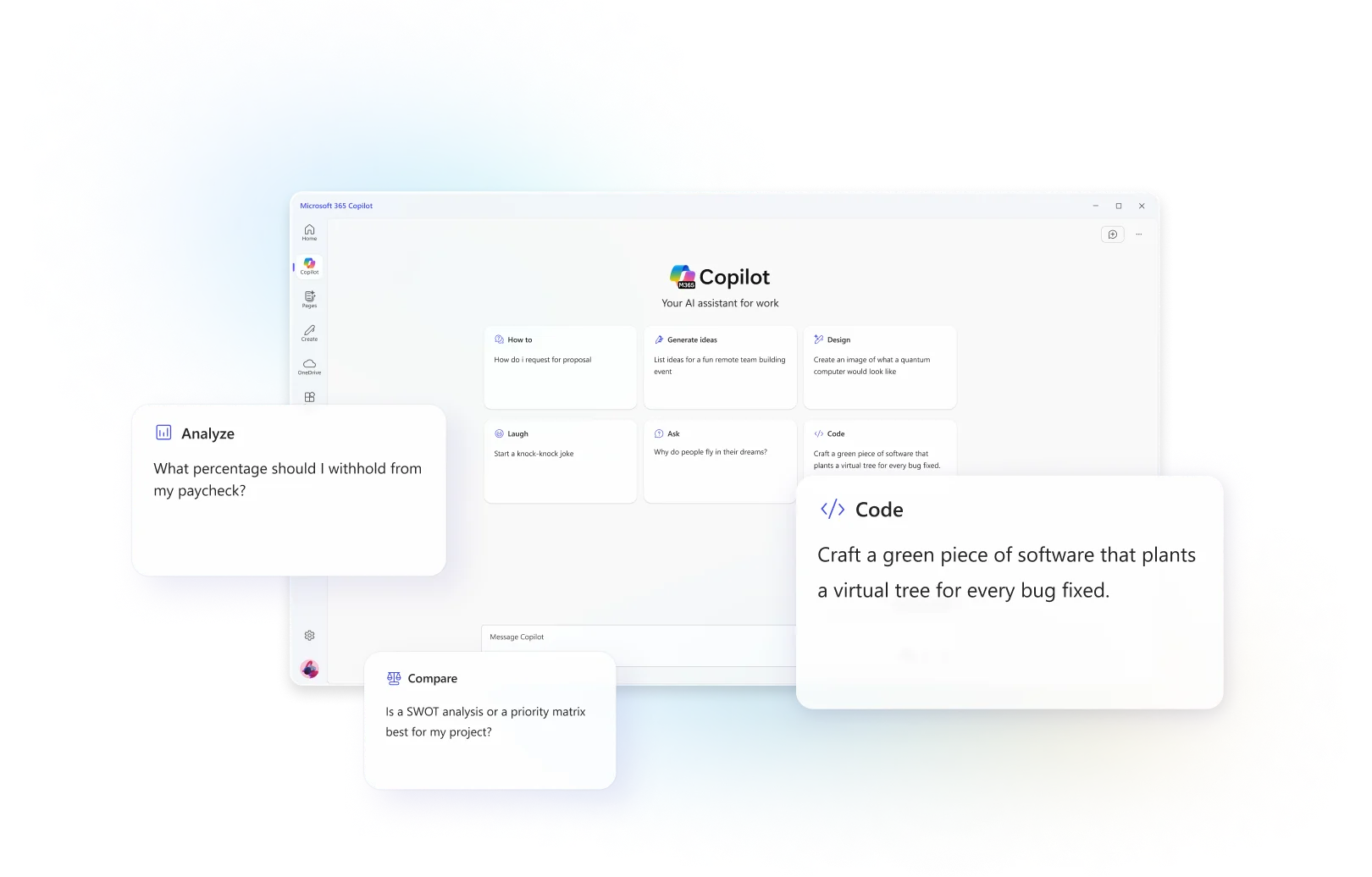
Copilot Chat
Copilot Chat is a secure AI chat that permeates the Microsoft 365 experience. It’s like having an always-available digital assistant you can talk to within your apps, now upgraded to GPT-5 for even better response quality.
The chat is integrated into Teams, Outlook, Microsoft's search bar, and on the web, as well as in other Office apps. Copilot Chat uses WorkIQ to retrieve information from your documents, emails, calendar, meeting notes, etc.
For example, you can ask during a Teams meeting: "What have we agreed on so far?" or in Outlook: "Summarize this email conversation for me."
Almost like chatting with a colleague!

Copilot Notebooks
Copilot Notebooks is a new feature that lets you gather all relevant material for a project or task in an AI-powered workbook, and then work with the content in a smart way.
Imagine a supercharged notebook with custom sources – such as documents, spreadsheets, email threads, meeting notes, and web links – that you can ask questions.
You can create a notebook for, say, "Project Alpha" and upload the project plan (Word), the spreadsheet (Excel), the project's email conversations, and meeting minutes, and then ask: "What risks have been identified in Project Alpha so far and how are we handling them?". Copilot then searches for the answer only within the material you have provided.
Copilot Search
The enterprise search function, Microsoft Search, is enhanced with generative AI. Instead of matching keywords, you can now describe what you are looking for in your own words – and get relevant results from your organization.
For example, you can search for "the budget file from last quarter where marketing costs are mentioned," and Copilot Search understands the context and finds it for you, even if the filename or text doesn't exactly match all the words in your search.
The search function covers all your work content – documents on SharePoint/OneDrive, emails, Teams conversations, calendar, notes, people search, intranet articles, and more.
Everything in a single, cohesive search experience.

Copilot Create
Copilot Create is the generative AI feature in Microsoft 365 that helps you quickly produce or improve various types of content. For example, Copilot can write drafts, design presentations, create images or videos, or formulate surveys based on a simple prompt from you.
These features are fully integrated into the Office apps you use daily, such as Word, PowerPoint, Excel, Outlook, OneNote, Teams, and Viva Engage.
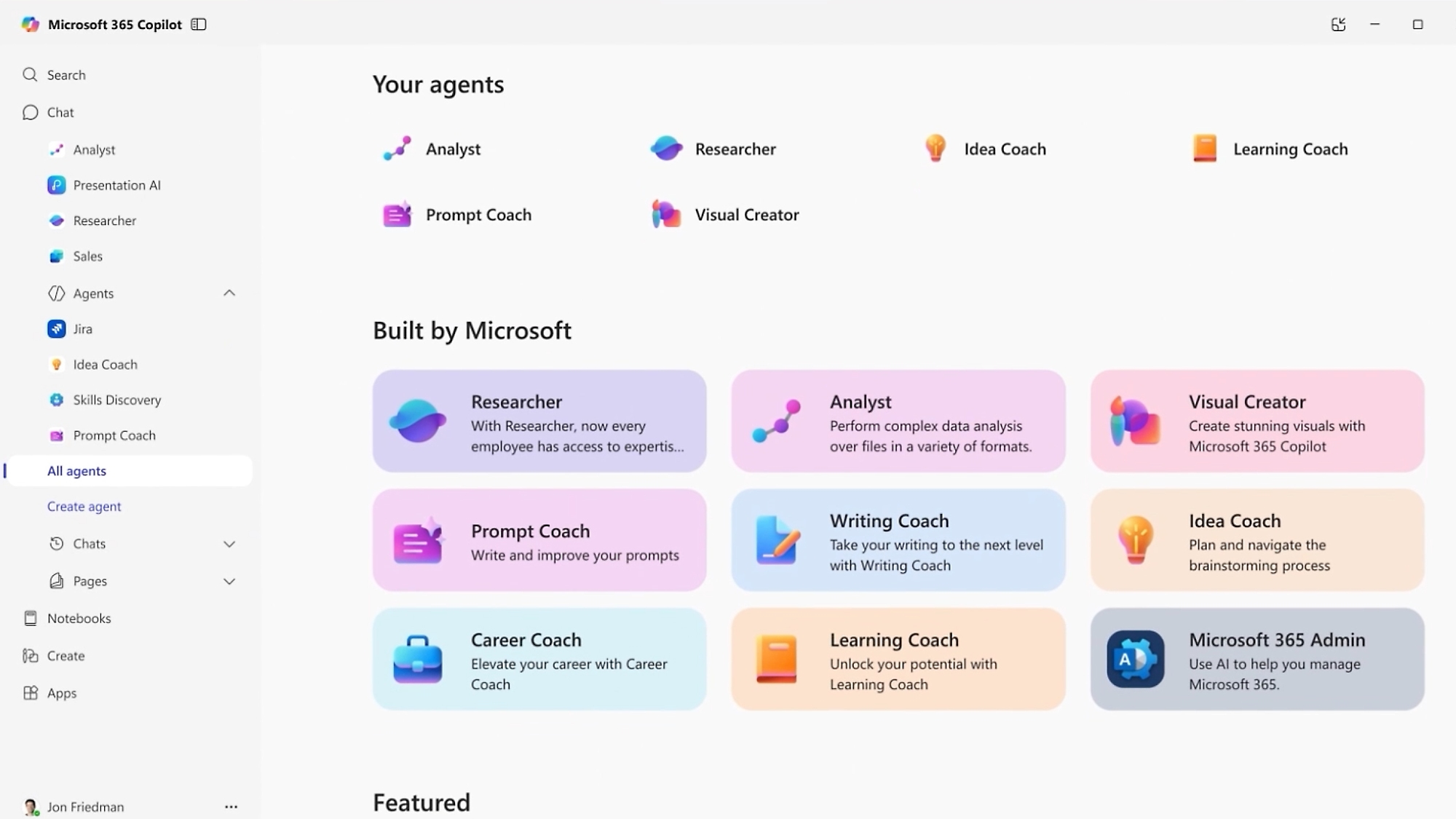
Copilot Agents
Copilot Agents are specialized AI functions or “plug-ins” that can perform specific tasks. There are both ready-made agents and the option to create your own.
The ready-made (built-in) agents are available in the Agent Store and can be activated to give Copilot new skills.
Copilot Studio is a platform where you can build or customize your own agents using low-code or natural language. You can start from a template (e.g., an agent that answers HR questions based on the employee handbook) or create a completely new agent from scratch tailored to a specific workflow.
They can also be connected to external systems (CRM, ticketing systems, databases, etc.) if you allow it.
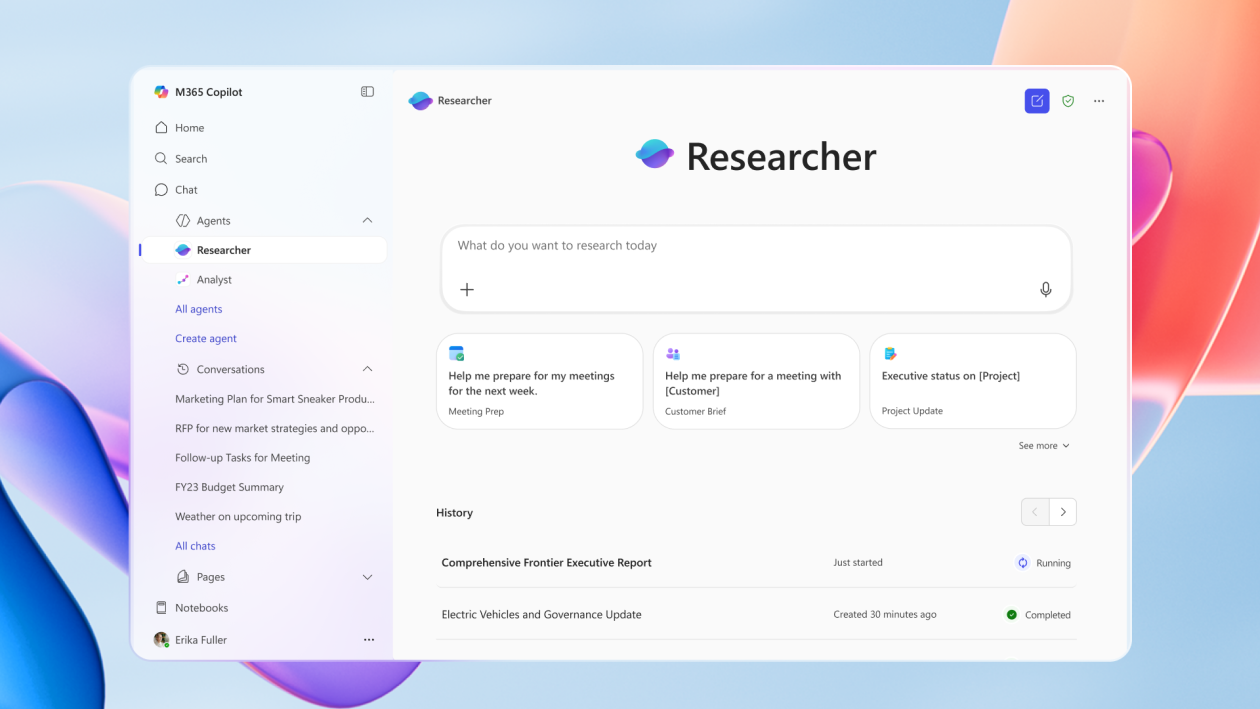
Copilot Researcher
Researcher is one of the first specialized agents introduced by Microsoft. It acts as a highly skilled “researcher” that you can turn to when you need to gather complex information from many sources and have it delivered as insights and reports.
Researcher uses a combination of OpenAI’s most advanced research model and Microsoft’s WorkIQ capability to search deeply into both internal company data and external sources (the web). For example, you can ask Researcher: “Create a detailed market analysis for our product launch and identify gaps in the market”.
The agent then scans all relevant internal documents (sales data, customer feedback, product documentation) and combines them with current information from the web.
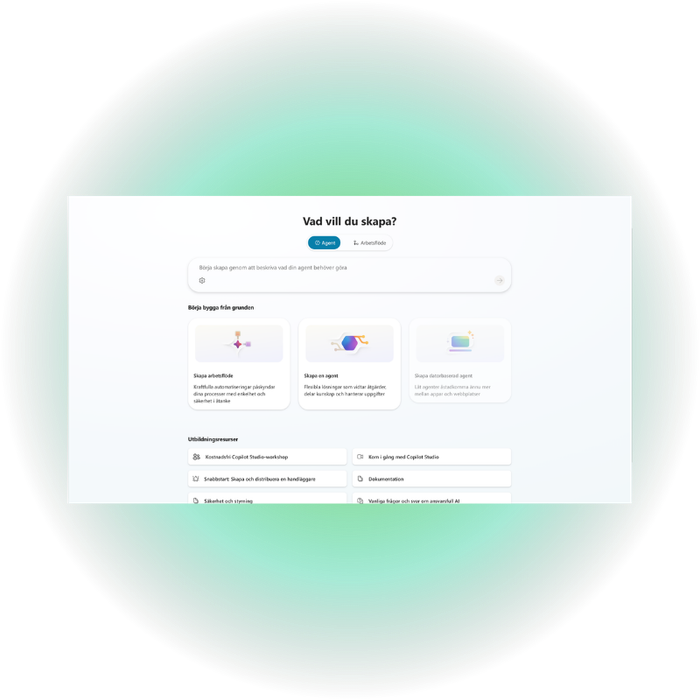
Copilot Studio - Build your own AI agents
Copilot Studio makes it easy for organizations to turn AI ideas into reality. With a platform that combines simple, custom integrations and advanced automation, you can create AI agents that solve real-world challenges in your daily work.
Perhaps it is about offloading support, automating complex or time-consuming workflows, or giving employees faster access to the right information.
Build AI agents without developers
Copilot Studio is a graphical low-code tool that enables both business and IT teams to create advanced AI agents without the need for data scientists or traditional coding.
Integration with data & systems
The platform offers pre-built and customizable integrations that make it easy to connect agents to business data, Microsoft 365, Power Platform, and external systems.
Autonomous agent capabilities
Create intelligent, task-oriented agents that can understand and reason over your organization's data, perform actions via flows, APIs, and tools, coordinate multi-agent processes, and work autonomously.
Frequently asked questions about Microsoft 365 Copilot
Do I need Microsoft 365 to use Copilot?
How do I activate Copilot in Microsoft 365?
Is Copilot as good as ChatGPT?
Is Copilot included automatically when you buy Microsoft 365?
Is Microsoft Copilot AI free?
More services